top of page

How to start, stop and pause a survey

  • Customer Success Team
  • 6 days ago
  • 1 min read

All settings related to starting and stopping a survey is found under the publication settings in the survey editor. 


Start by going to "Manage surveys" and select the survey you want to edit.
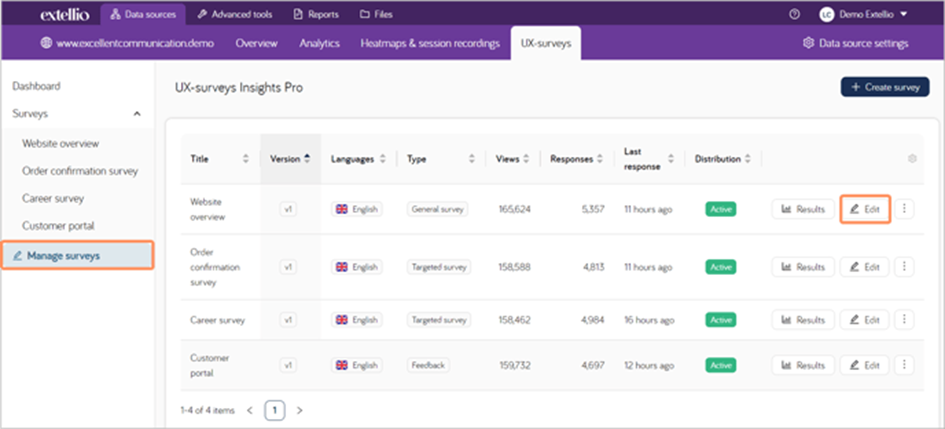

ree

Then, go the "Publish". The first two settings are "Start" and "End". 


ree

The survey needs a start date to go live, but the survey only needs an end date if you want to pause or stop it. Click on the date box and select the date and time you want.


ree

Since you schedule both start and end, you can create the survey in advanced but it won't go live before the start date. If you want to pause a survey, add an end date and once the survey is deactivated you can add a new start date.

Related Posts

See All
Does it matter how your survey looks?

You have a lot of options when you create a survey at Extellio. Not only can you choose between different question categories (such as single-choice or text answer), you can also adapt the design of t


How to prevent a high drop-off rate for your survey

When collecting survey data, you can either only collect the submitted answers (as in when the respondents have answered all required questions and successfully submitted the survey) or you can collec


Tips when categorizing comments

But first, why should you categorize the comments? For role and purpose, categorizing the follow-up questions will show if there are missing alternatives, or if the respondents are misinterpreting the


bottom of page